SubscriptionIsOverQuotaForSku.Microsoft.Solutions must be registered in the subscription (Subscription → Resource providers → Register). The Marketplace wizard normally does this for you.drop. The wizard's storage picker only lists accounts in the deployment region.AmeRedact never asks for a storage key. Instead, the engine has its own identity, and you give that identity permission to read drop and write redacted and manifest. The deployment's Outputs tab shows the identity's principal ID and the exact commands. In Azure Cloud Shell (PowerShell) or a local shell with Azure CLI:
az role assignment create --assignee-object-id <functionPrincipalId> --assignee-principal-type ServicePrincipal `
  --role "Storage Blob Data Owner" --scope <storageAccountResourceId>
az role assignment create --assignee-object-id <functionPrincipalId> --assignee-principal-type ServicePrincipal `
  --role "Storage Queue Data Contributor" --scope <storageAccountResourceId>
Or run the provided grant-storage-access.ps1 with the two values from the Outputs tab. Role assignments take a few minutes to propagate. Files dropped before that are picked up automatically on the next scan — no need to re-upload.
You can revoke access at any time by deleting those two role assignments. The engine will stop processing immediately and nothing else changes.
You can use the Azure portal, but most practices prefer Azure Storage Explorer — a free desktop app from Microsoft that lets you drag whole case folders in and out of your storage account. One-time setup:
drop.drop. Folders are preserved: drop/CASE-001/01_ER.pdf produces redacted/CASE-001/01_ER.pdf.deid.txt, and every file in the same case folder shares one date-shift offset.redacted (de-identified text + audit JSON) and check processing status in manifest. Files appear within about a minute of upload.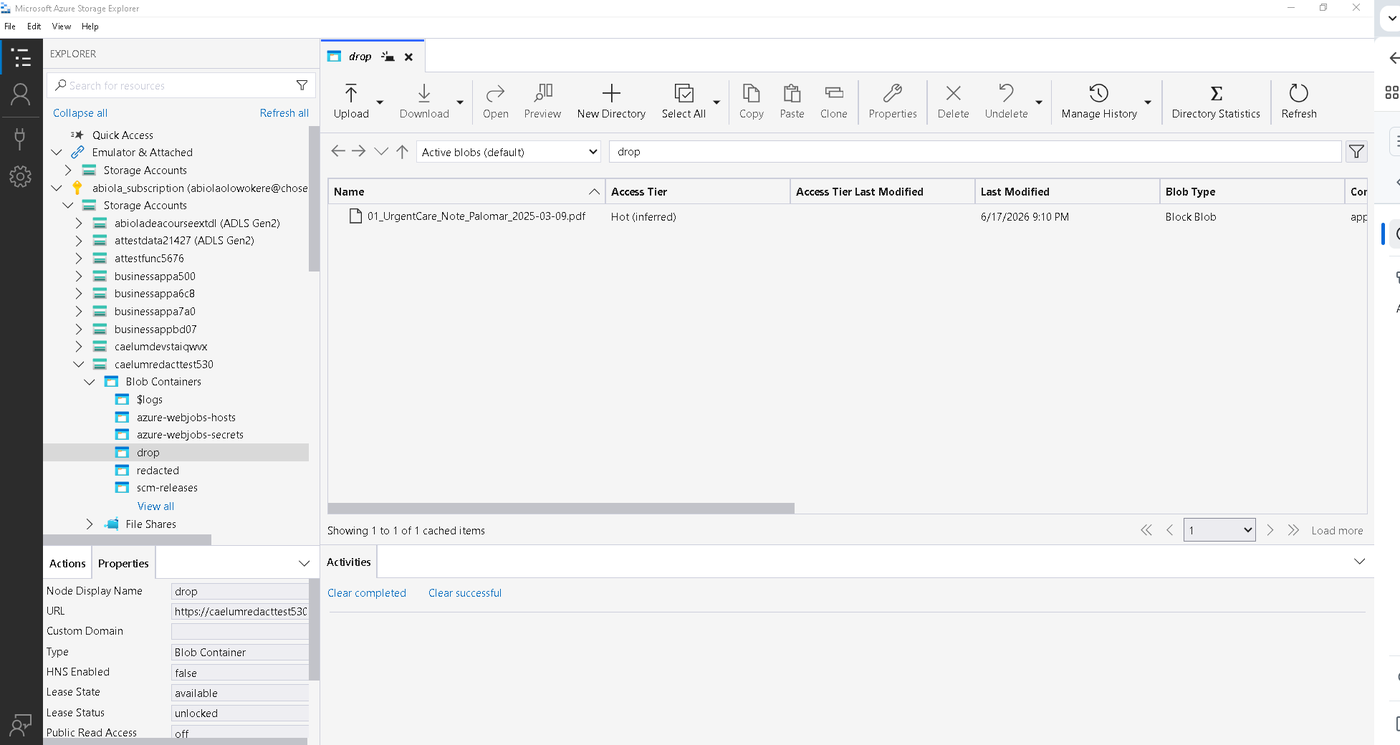
drop with Storage Explorer.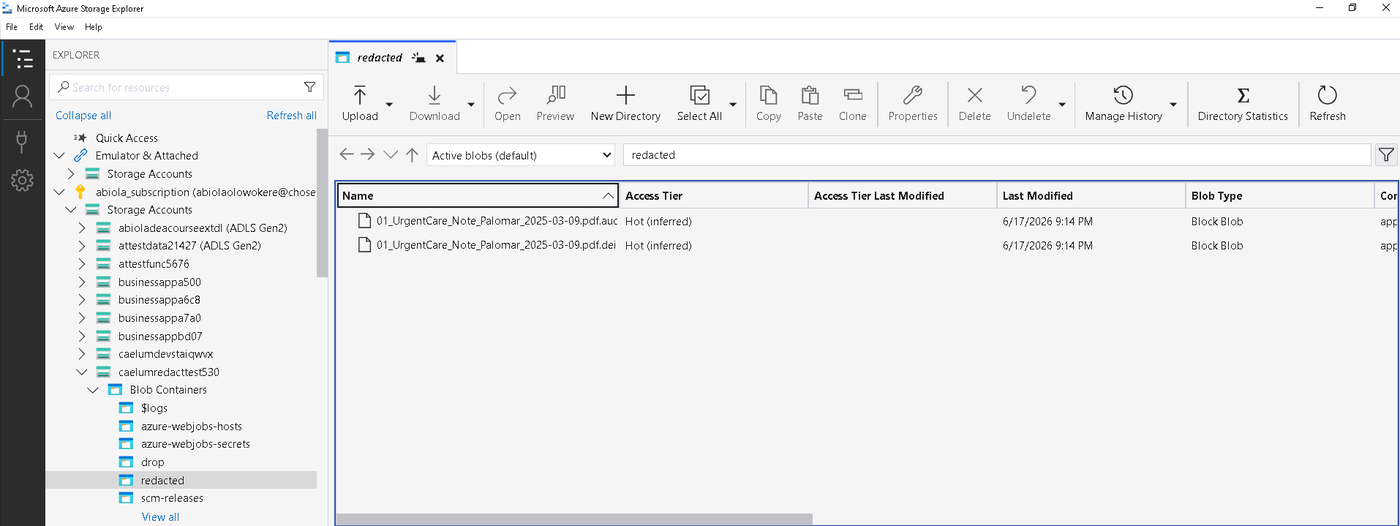
.deid.txt and .audit.json in redacted.Before installing from Azure Marketplace, open Azure Cloud Shell (PowerShell), download setup-prerequisites.ps1 and run it with your own names. It creates the storage account in the right region, the drop container, and the role for your sign-in. After the install, run it once more with -FunctionPrincipalId from the deployment Outputs to grant the engine. Everything it creates is yours.
.\setup-prerequisites.ps1 -ResourceGroup medrecords-rg -StorageAccountName yourfirmphi01 -Location westus3
.deid.txt) plus a JSON audit record, not a redacted PDF image. Redacted-PDF output is on the roadmap.Delete the managed application from the Azure portal. Azure removes the managed resource group and everything in it. Your storage account, your documents and your de-identified output are untouched. Delete the two role assignments if you want to tidy up.
